
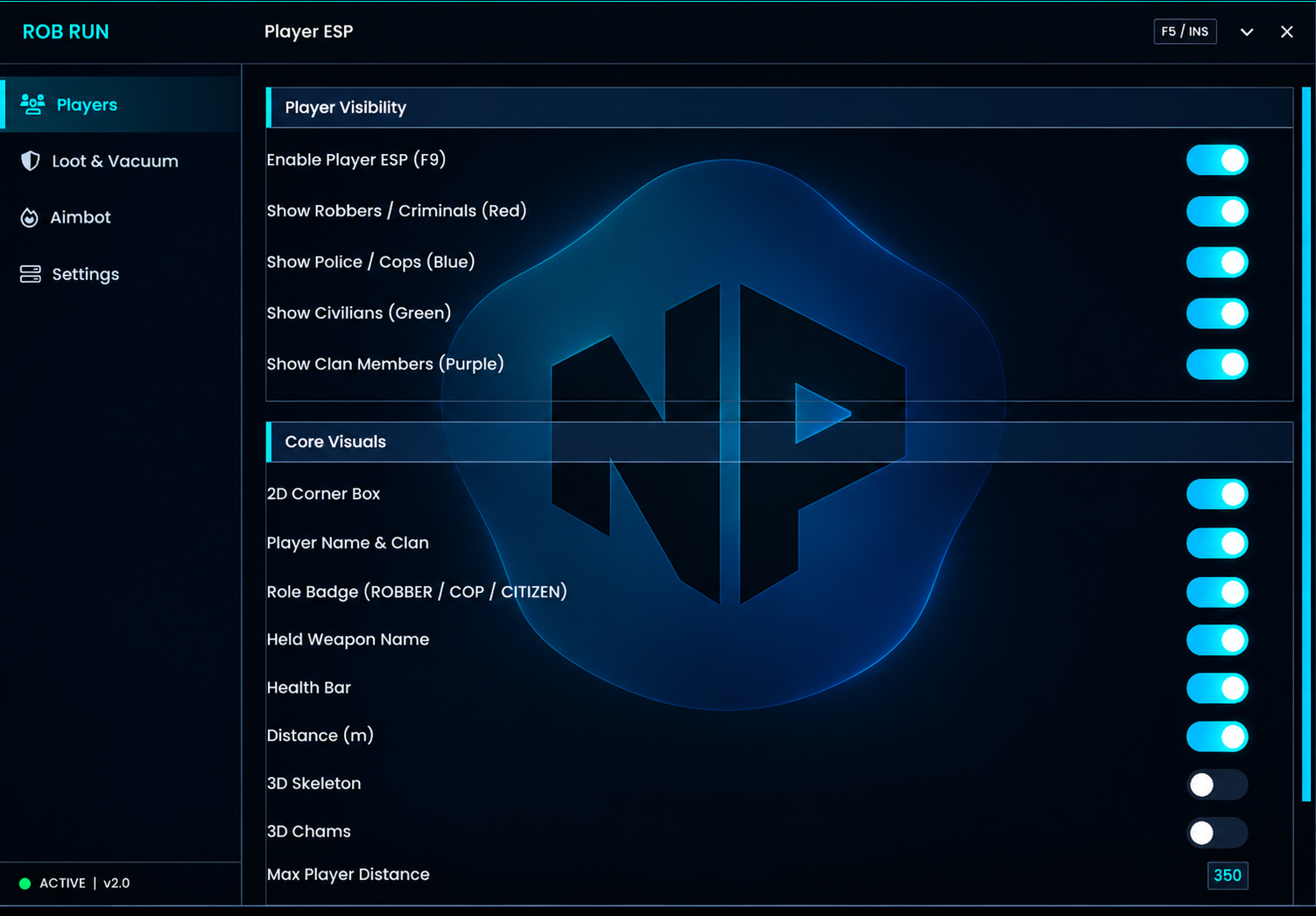
The complete ROB RUN software: player ESP, loot and vacuum, a customizable aimbot and a full settings menu, all in one in-game overlay.
See the menu from the inside
Real screenshots of the ROB RUN software, one for each menu tab.
Players
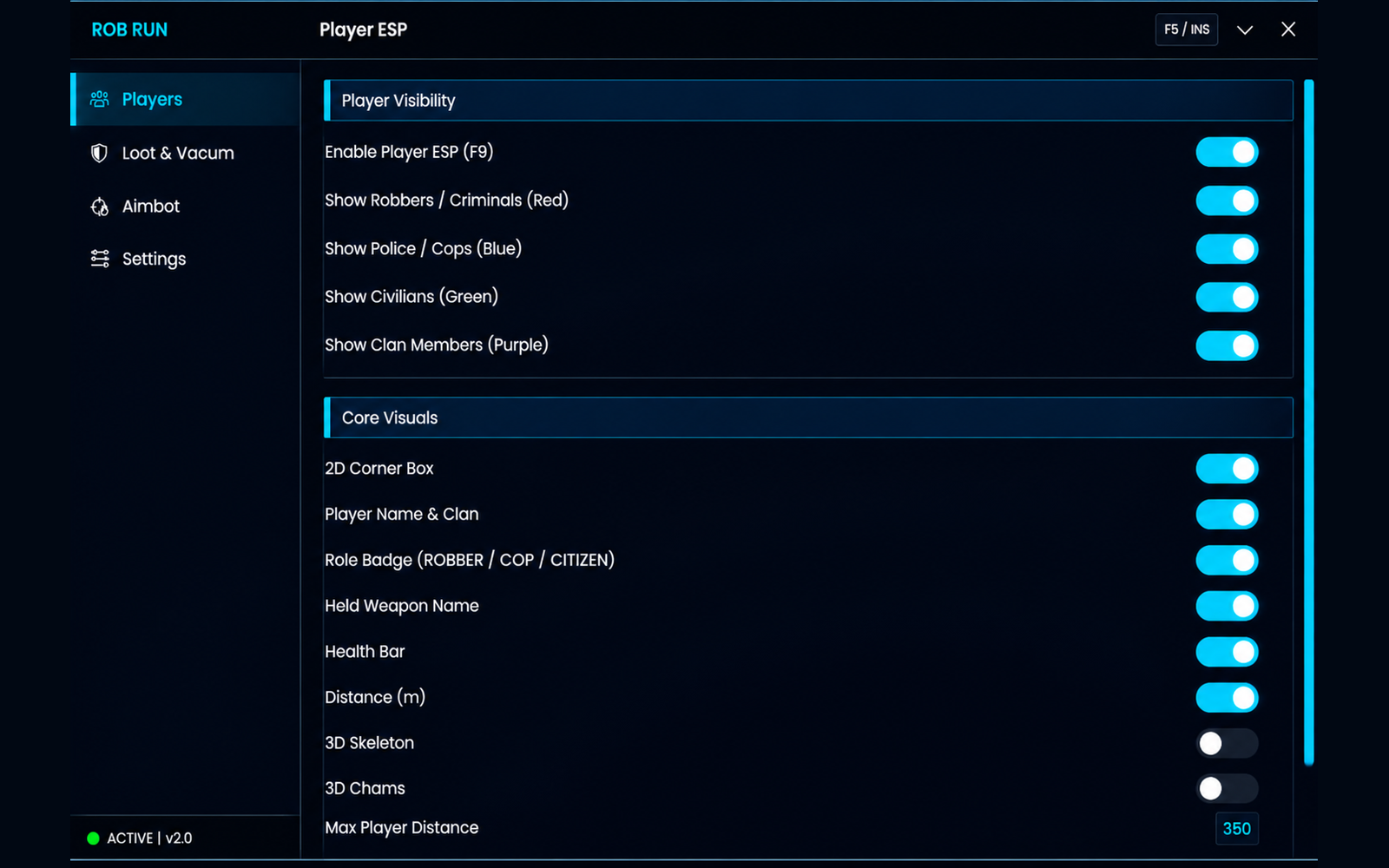
Player ESP
See players through walls, structures and obstacles, with quick toggling on the F9 key.
2D Box, Skeleton & Chams
2D corner boxes, a 3D skeleton and a visual highlight on every character.
Color coding
Tell teams apart at a glance:
- Criminals in red.
- Police in blue.
- Civilians in green.
- Clan members in purple.
Player information
Names, clans, roles, equipped weapons, a health bar and the distance in meters.
View filters
Choose which player categories you want to see.
Adjustable distance
Set the maximum range of the ESP.
Loot & Vacuum
Loot ESP
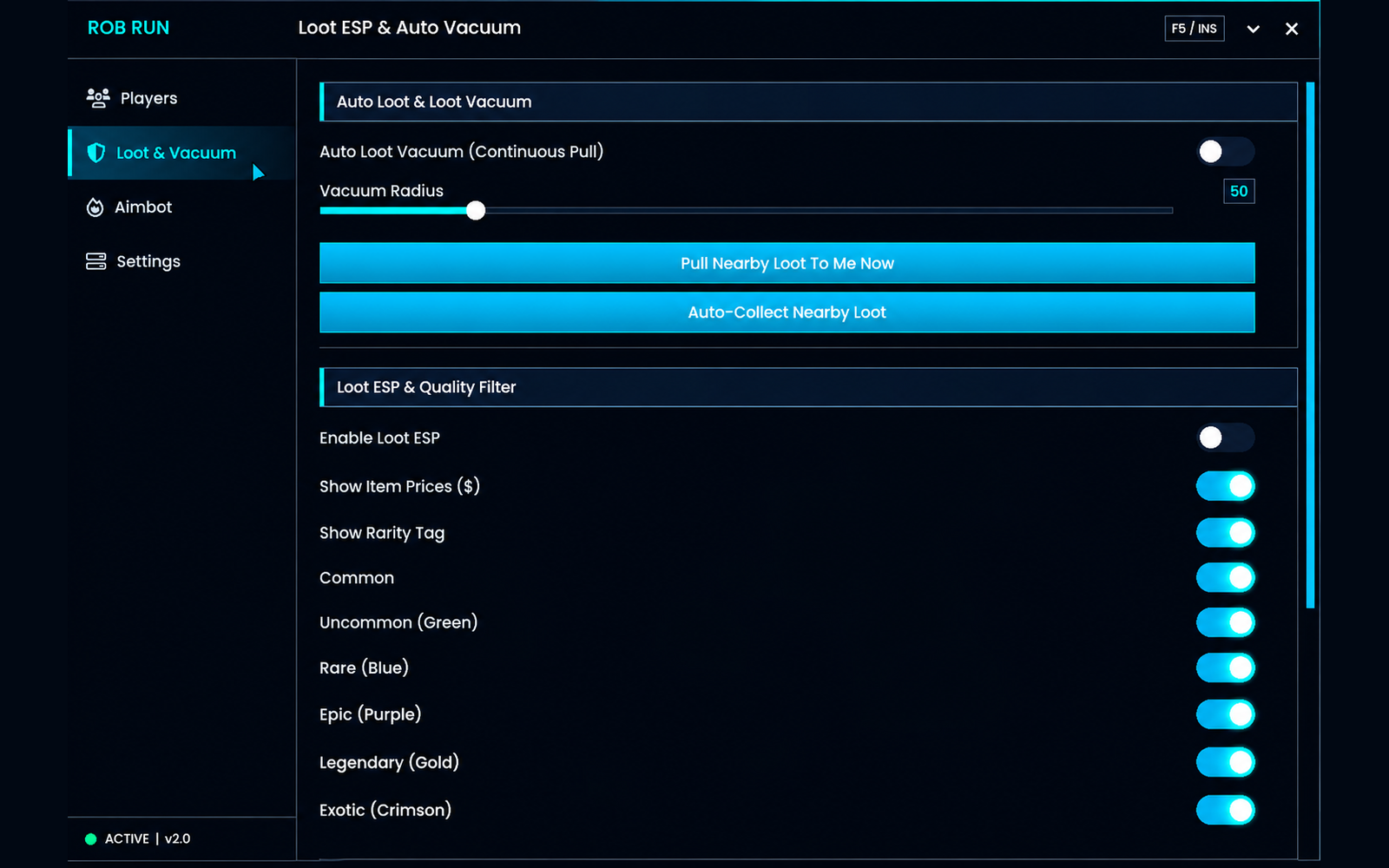
See items scattered across the map, including their prices and rarity levels.
Auto Loot Vacuum
Continuously pull in nearby items, with an adjustable working radius.
Pull Nearby Loot
Instantly pull nearby items to your position.
Auto-Collect
Automatically collect the items around you.
Rarity filters
Filter by Common, Uncommon (green), Rare (blue), Epic (purple), Legendary (gold) and Exotic (crimson).
Quick filters
Pick All, Uncommon+, Rare+ or Epic+ to see only the categories you want.
Max Loot Distance
Customize how far away items are identified.
Loot Count Booster
Set a target loot amount and apply the adjustment straight from the menu.
Aimbot & Silent Aim
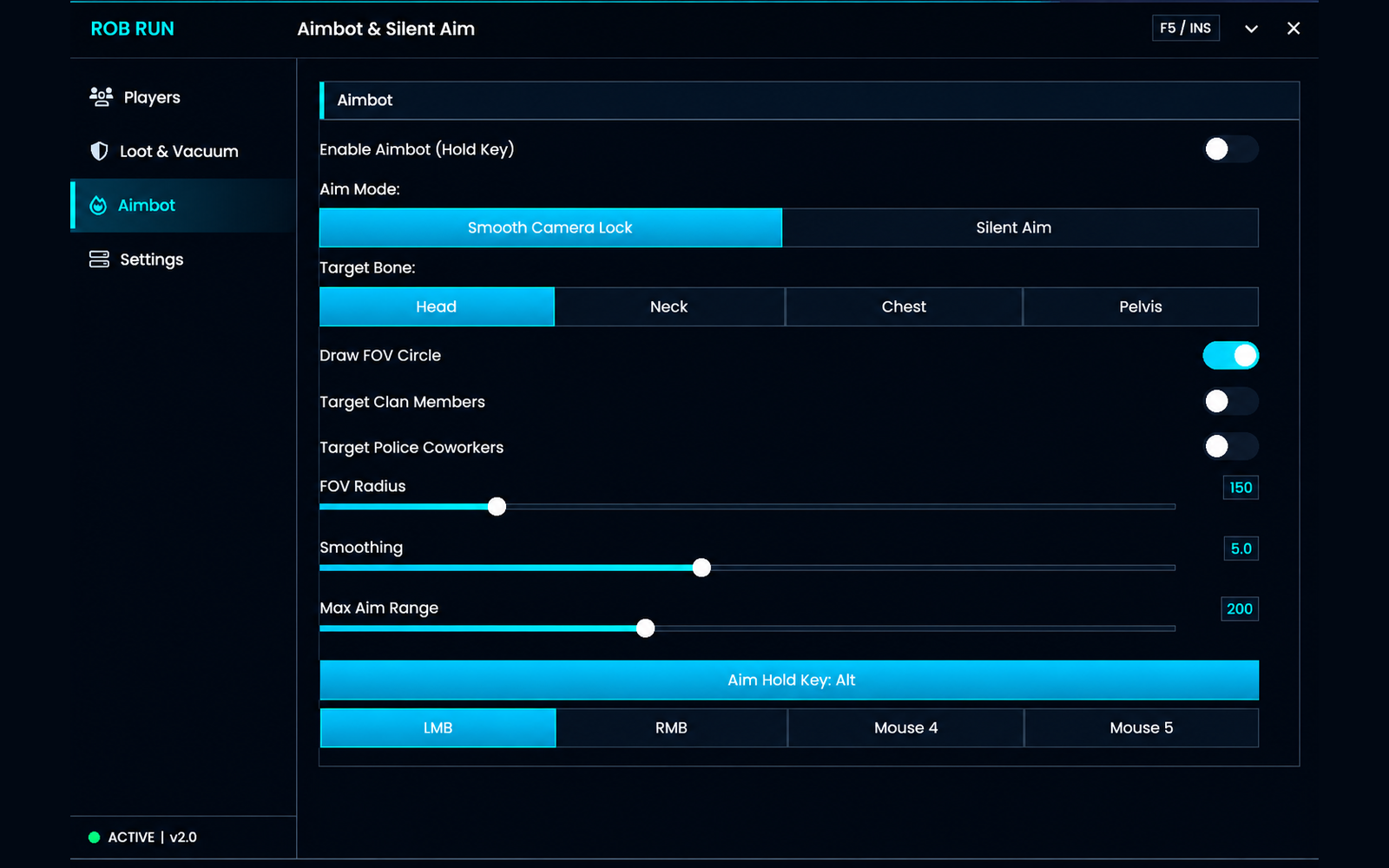
Smooth Camera Lock
Aim assistance that smoothly locks the camera onto the target.
Silent Aim
An alternative aim assistance mode.
Target Bone
Pick the body region to aim at: head, neck, chest or pelvis.
FOV Circle & Radius
Show and adjust the circle that defines the aim area.
Smoothing
Customize how smooth and how fast the aim moves.
Max Aim Range
Set the maximum distance at which the aim works.
Target filters
Customize the targeting of clan members and allied police.
Custom hotkeys
Activate it with Alt, left button (LMB), right button (RMB), Mouse 4 or Mouse 5.
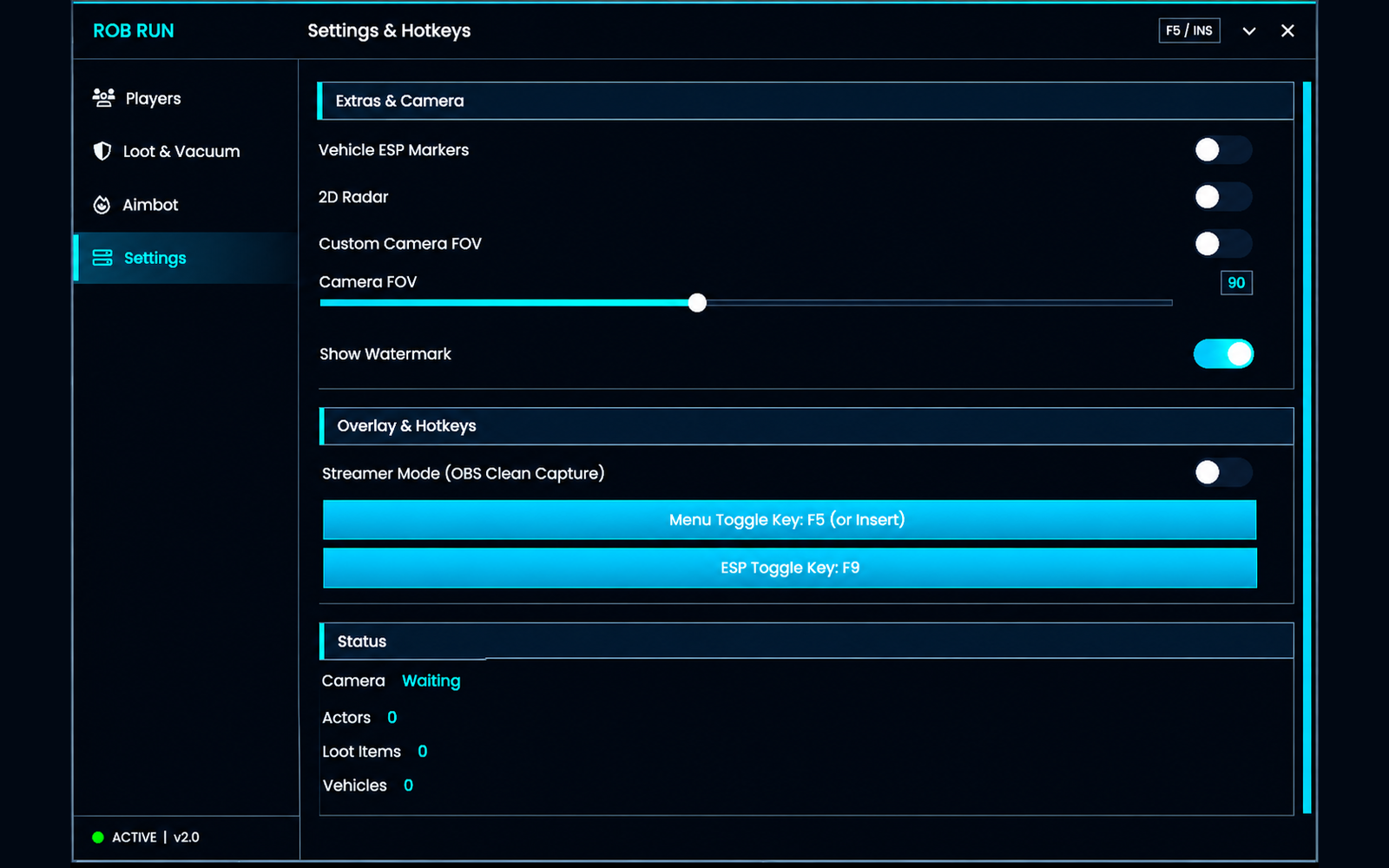
Settings
Vehicle ESP
See vehicle markers scattered across the map.
2D Radar
Keep track of your surroundings with a two-dimensional radar.
Custom Camera FOV
Customize the camera field of view.
Streamer Mode
A clean capture option for recordings and streams using OBS.
Watermark
Turn the software's watermark on or off.
Hotkeys
F5 or Insert opens and closes the menu, and F9 turns the ESP on or off.
Real-time status
Follow how the camera is working and how many players, items and vehicles are detected.
What comes with it
- Detailed installation method
- Four menu tabs: Players, Loot & Vacuum, Aimbot and Settings
- Streamer Mode for clean captures with OBS
- Quick menu and ESP hotkeys
- Real-time status of the camera and of detected players, items and vehicles
- 24/7 technical and functional support